
Fix WordPress Redirect Virus - Complete Guide
Step-by-step removal of malicious redirects that send your visitors to spam sites, adult content, or gambling pages.
 By Remerson Souza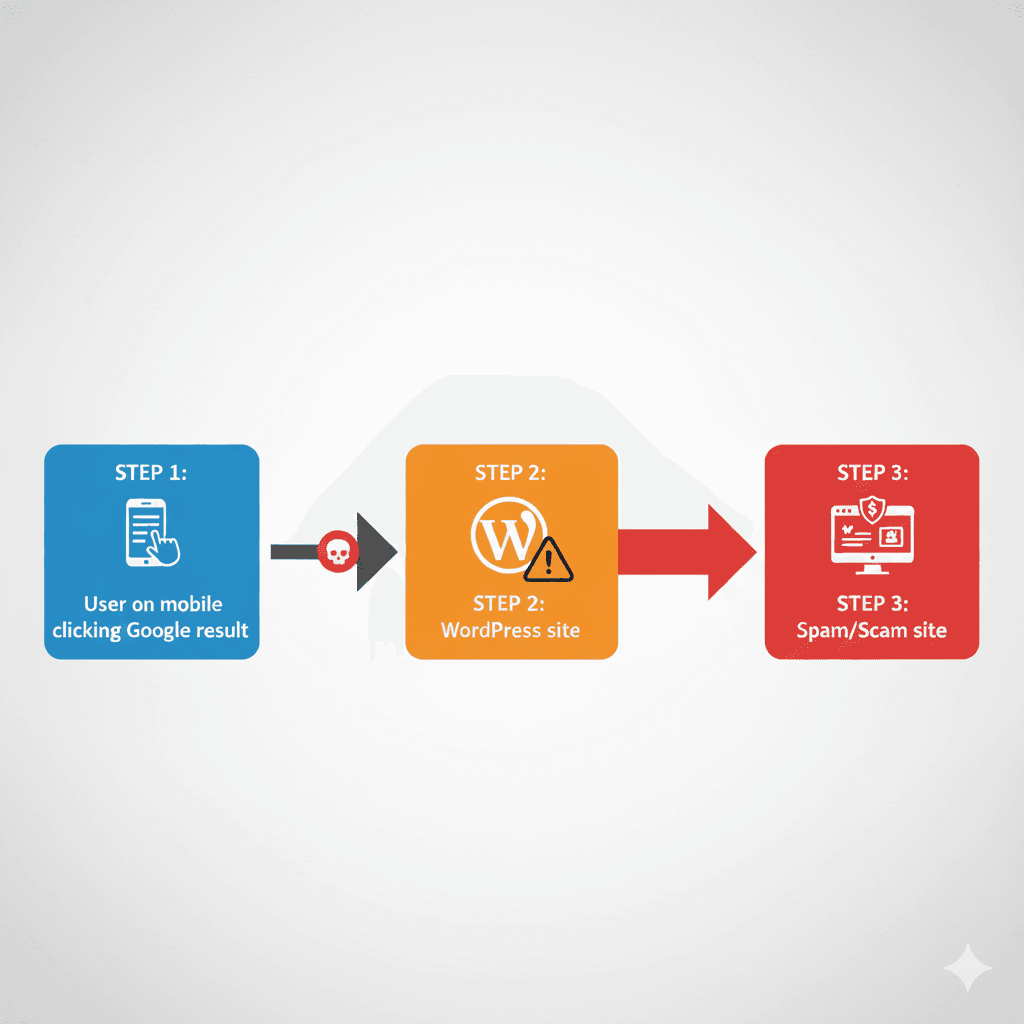
Visitors Being Redirected Right Now?
Every hour your site stays infected, you lose visitors, damage your reputation, and risk Google penalties. I can identify and remove the redirect malware today, including all hidden backdoors.
Emergency Redirect Removal ($40)What is a WordPress Redirect Virus?
A WordPress redirect virus is malicious code injected into your website that hijacks your visitors and sends them to unwanted destinations. These destinations are typically spam sites, phishing pages, fake tech support scams, adult content, or gambling websites.
What makes redirect malware particularly frustrating is that it often hides from site owners. The malware may only trigger for new visitors, mobile users, or people arriving from search engines. When you check your own site, everything looks normal because the malware recognizes you and shows the legitimate content.
How Redirect Malware Works
- • Injects malicious code into WordPress files or database
- • Detects visitor characteristics (IP, user agent, referrer)
- • Selectively redirects certain visitors while hiding from others
- • Often includes backdoors to maintain access after cleanup attempts
- • May use multiple redirect destinations to avoid detection
Common Symptoms of Redirect Malware
Visitor Reports
- • Customers complain about being redirected
- • Reports of pop-ups or spam when visiting your site
- • Users land on unexpected pages
- • Mobile users report different behavior than desktop
Google Warnings
- • Google Search Console security warnings
- • Browser displays "Deceptive site ahead" warning
- • Sudden drop in search traffic
- • Site flagged as containing malware
Real Client Case:
A client contacted me after receiving complaints from customers who said clicking on his Google search result sent them to a gambling site. When he tested it himself, everything worked fine. The malware was only redirecting visitors coming from Google search results on mobile devices.
Common Causes of Redirect Infections
Vulnerable Plugins or Themes
Outdated or poorly coded plugins with security vulnerabilities are the most common entry point.
Weak Credentials
Simple passwords on admin accounts or FTP access allow brute force attacks.
Compromised Admin Accounts
Phishing attacks or password reuse can give attackers direct access to your dashboard.
Shared Hosting Contamination
On poorly isolated shared hosting, malware can spread from other infected sites.
How to Verify the Infection
Because redirect malware often hides from site owners, you need to test from multiple angles to confirm the infection.
Verification Steps
- 1. Use a different device or ask a friend to visit your site
- 2. Test using a mobile network (not your WiFi)
- 3. Use incognito/private browsing mode
- 4. Click your site from Google search results
- 5. Check Google Search Console for security issues
- 6. Use online scanners like Sucuri SiteCheck or VirusTotal
Free Scanner
Use our free WordPress security scanner to check for redirect malware and other common infections.
Scan Your Site FreeStep-by-Step Cleanup Process
Before You Start
Create a full backup of your site before making any changes. If something goes wrong, you can restore it.
Step 1: Check .htaccess Files
The .htaccess file in your WordPress root is the most common location for redirect malware. Look for suspicious redirect rules, especially ones with encoded strings or unfamiliar domains.
# Suspicious redirect code often looks like:
RewriteRule ^(.*)$ http://malicious-site.com/$1 [R=301,L]
# Or contains encoded/obfuscated strings
Step 2: Examine wp-config.php
Check for any code added before or after the normal WordPress configuration. Malware often injects JavaScript or PHP redirects at the beginning of this file.
Step 3: Scan Theme Files
Check header.php, footer.php, and functions.php in your active theme. Look for unfamiliar JavaScript, base64-encoded strings, or eval() functions.
Step 4: Check the Database
Search the wp_options table for suspicious entries, especially in siteurl and home. Check wp_posts for injected JavaScript in post content.
Step 5: Remove Backdoors
Look for recently modified files, files with random names, or PHP files in unexpected locations like uploads folder. These are often backdoors for reinfection.
Critical Files to Check
Core Files
- •
.htaccess(root and all subdirs) - •
wp-config.php - •
index.php(root) - •
wp-settings.php
Theme Files
- •
header.php - •
footer.php - •
functions.php - •
index.php(theme)
Plugin Files
- • Main plugin PHP files
- • Recently modified plugin files
- • Unknown plugins in /wp-content/plugins/
- • Must-use plugins in /wp-content/mu-plugins/
Database Tables
- •
wp_options(siteurl, home, active_plugins) - •
wp_posts(post_content) - •
wp_postmeta - •
wp_users(unknown admin accounts)
Post-Cleanup Hardening Steps
Removing the malware is only half the battle. You must also close the security holes that allowed the infection in the first place.
Change All Passwords
WordPress admin, FTP, hosting panel, database. Use strong, unique passwords.
Update Everything
WordPress core, all plugins, all themes. Delete unused plugins and themes.
Install Security Plugin
Use Wordfence, Sucuri, or similar to monitor for future attacks.
Review Admin Users
Remove any unknown admin accounts created by attackers.
Request Google Review
If Google flagged your site, request a review in Search Console after cleanup.
When to Seek Expert Help
While simple redirect infections can sometimes be fixed manually, many situations require professional assistance to ensure complete cleanup.
Consider Professional Help If:
- • The redirect keeps coming back after you clean it
- • You cannot locate the source of the redirect
- • Multiple files or database entries are infected
- • Your host suspended your account
- • Google has flagged your site as malicious
- • You are not comfortable editing PHP files or database
- • Your business depends on the site being operational
Professional Malware Removal Service
I provide complete WordPress redirect malware removal including database cleanup, backdoor removal, security hardening, and Google recovery assistance. Most cleanups are completed within 24 hours.
Frequently Asked Questions
What is a WordPress redirect virus?
A WordPress redirect virus is malware that hijacks your website visitors and sends them to malicious destinations like spam sites, phishing pages, or adult content. The redirect often only triggers for certain visitors while appearing normal to the site owner.
Why does my WordPress site redirect to spam only sometimes?
Redirect malware is designed to be hard to detect. It often only triggers for new visitors, mobile users, or people coming from search engines. Site owners and repeat visitors may see the normal site, making the infection difficult to confirm.
Where is redirect malware usually hidden in WordPress?
Common locations include .htaccess files, wp-config.php, theme header.php and footer.php files, JavaScript files, the WordPress database (wp_options and wp_posts tables), and within plugin files. Modern attacks often use multiple locations simultaneously.
Can I remove WordPress redirect malware myself?
Simple .htaccess redirects can sometimes be fixed manually, but most redirect infections involve obfuscated code in multiple locations. Without proper tools and experience, you may miss hidden backdoors that allow reinfection within days.
How long does it take to fix a WordPress redirect hack?
Basic redirect infections can be cleaned in 2-4 hours. Complex infections with multiple backdoors and database injections typically require 6-12 hours for complete removal and verification.
Will Google penalize my site for having redirect malware?
Yes, Google may flag your site as dangerous, display warnings to visitors, and remove your site from search results. Quick cleanup and requesting a Google review is essential to minimize SEO damage.